

Linktotem

Link in bio for musicians

One page that sends fans to your new release, your next shows and your merch table. Built for solo artists, bands and DJs, with a spot for promoters and press too.

  • New single up top
  • Tour dates
  • Tickets & merch
  • Mailing list

This is the real page, with example content you replace in a few minutes.

Use this template

Build free, no card. Publish with a 14-day free trial.

What's on the page, and why

  1. 1

    Social icons

    Spotify, Instagram, YouTube and TikTok sit at the very top as small icons. Fans who already know you want one tap to follow you where they listen. Keeping them as icons saves the big buttons for what changes every month.

  2. 2

    New single

    The release you're pushing right now gets the highlighted button with its artwork. Point it at a pre-save or a smart link so each fan lands in their own streaming app. Swap it the day the next song drops.

  3. 3

    Official video

    A second link for the video, because plenty of people meet a song on YouTube before they add it to a playlist. You can replace it with a YouTube embed so the video plays right on the page.

  4. 4

    Tour dates

    A timeline under a "Live" heading lists city, date and venue. It reads at a glance on a phone and takes seconds to update after each show. Remove past dates and the page never looks stale.

  5. 5

    Tickets

    One tickets button right below the dates, pointing at your ticketing page or your Bandsintown listing. Fans who just read the dates are ready to buy, so the button is there when they are.

  6. 6

    Merch

    Shirts, vinyl and signed copies can matter more to your income than streams. The merch link goes to your store. If you only sell a handful of items, add them as products with Stripe checkout instead.

  7. 7

    Booking & press

    An email button labelled for concerts, festivals and interviews. Promoters and journalists look for it and rarely send DMs. A clear address also keeps business requests out of your personal inbox.

  8. 8

    Mailing list

    The last block collects emails. Algorithms decide who sees your posts; your list doesn't. Tell people exactly what they'll get, new songs and tour dates, and send only that.

The order that works for musicians

Put what you want played first and what you want bought right after. Most visits come from a post about a release or a show, so the top of the page should match that moment. Business contacts go lower, because promoters will scroll and fans won't.

  1. Current release, highlighted
  2. Video
  3. Upcoming dates and tickets
  4. Merch
  5. Booking contact and mailing list

Connect the music tools you already use

Link your Spotify artist profile, Apple Music and Bandcamp with link buttons or social icons, and embed a Spotify track when you want people to press play without leaving. For shows, link to your Bandsintown or Songkick page, or straight to the venue's ticket seller. Merch can stay on Bandcamp, Shopify or Big Cartel; the button just points there. Clicks per link then tell you whether fans went for tickets or streams.

What to write in a musician's Instagram bio

Instagram gives you about 150 characters. Use them to say what you are and what's new: "Indie-folk from Porto. New album out now. Touring in October." Genre and city help people who find you through a festival lineup or a local playlist.

Change that text when your news changes, but keep one stable link. You update the page, and every old post, story and poster that points to it stays correct.

Release week and tour week

In release week, the single goes to the top and the video sits right under it. Use the link sticker in stories to send people to the page, and mention "link in bio" in the caption of every post about the song.

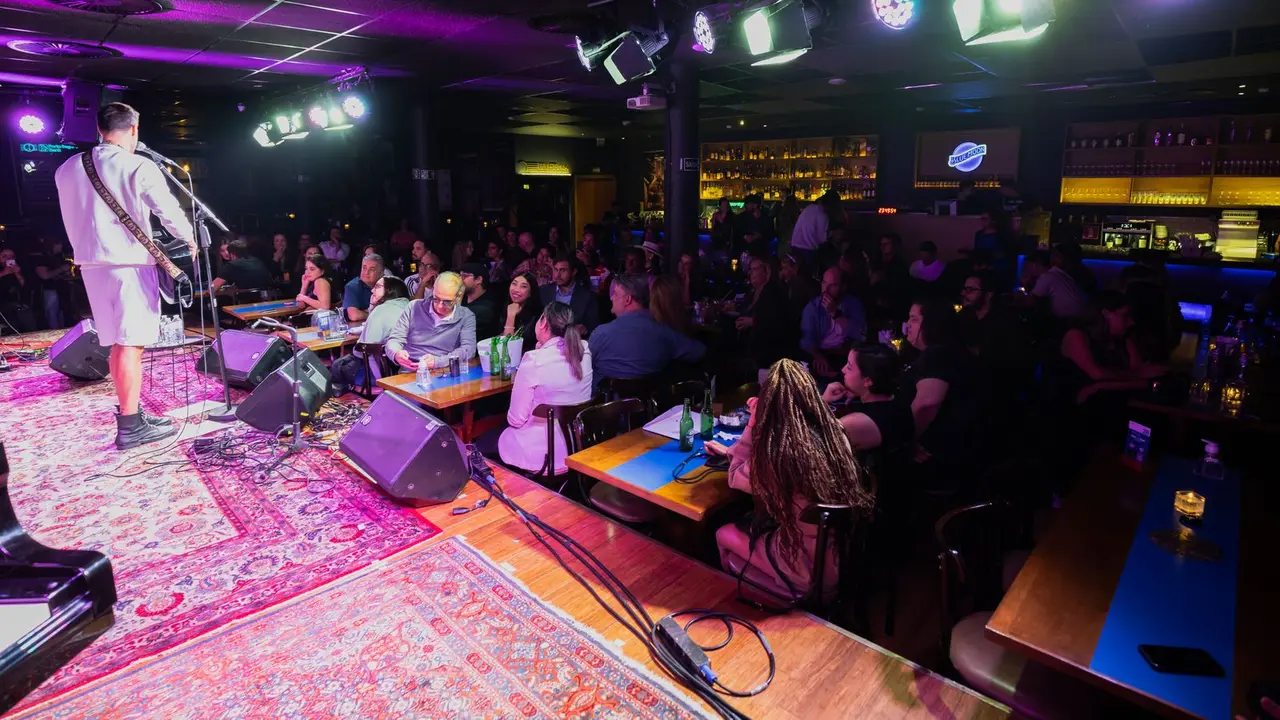
On tour, move the dates up and the tickets button with them. Print the page's QR code on posters and at the merch table, so people at the show can join the list or buy a shirt before they head home.

Mistakes that cost streams and ticket sales

Linking to your artist profile instead of the exact release. Every extra tap loses listeners. Send them to the song, not to a list of albums.

Leaving past dates up, or letting three shops, four playlists and an old EP fight for the top spot. A short page with one clear next step beats a long one.

FAQ

Questions

How do I put my music in my Instagram bio?

Add one link to your page and put your streaming profiles, latest release and shows there. Fans choose the app they already use, and you only change one link when something new comes out.

Can I show my tour dates on the page?

Yes. The timeline block lists city, date and venue, and a tickets button sits right under it. Edit or remove a date in seconds after each show.

Can fans listen without leaving the page?

Add a media embed with your track on Spotify or your video on YouTube. People press play and still see the rest of your links.

How do I get promoters to contact me?

Keep a booking button with a dedicated email address and say what it's for: concerts, festivals, interviews. A short line about your live setup in the description helps.

Can I sell merch directly from the page?

Yes. Link to the store you already have, or add a few products, like vinyl or shirts, with Stripe checkout.

Will I know which links fans click?

Analytics show clicks per link and where your visits come from, including UTM sources. You'll see whether the tour post sent more people than the release post.

Free tools that go with it

More templates

See all templates

Start in minutes

Your page, from this template

Pick a username, and your page starts with this template: change the words, add your links and it's yours.

Build free, no card. Publish with a 14-day free trial.

Claim your link today

One link for everything you create, sell and share. Free to publish, online in minutes.