Linktotem

Link in bio for photographers

Every photographer gets the same first message: "are you free on the 14th?" This template turns that into a four-field form, puts the work above it where it belongs, and answers the price question on the page instead of over three days of messages.

  • Portfolio
  • Packages and prices
  • Date check
  • Reviews

This is the real page, with example content you replace in a few minutes.

Use this template

Build free, no card. Publish with a 14-day free trial.

What's on the page, and why

  1. 1

    Weddings

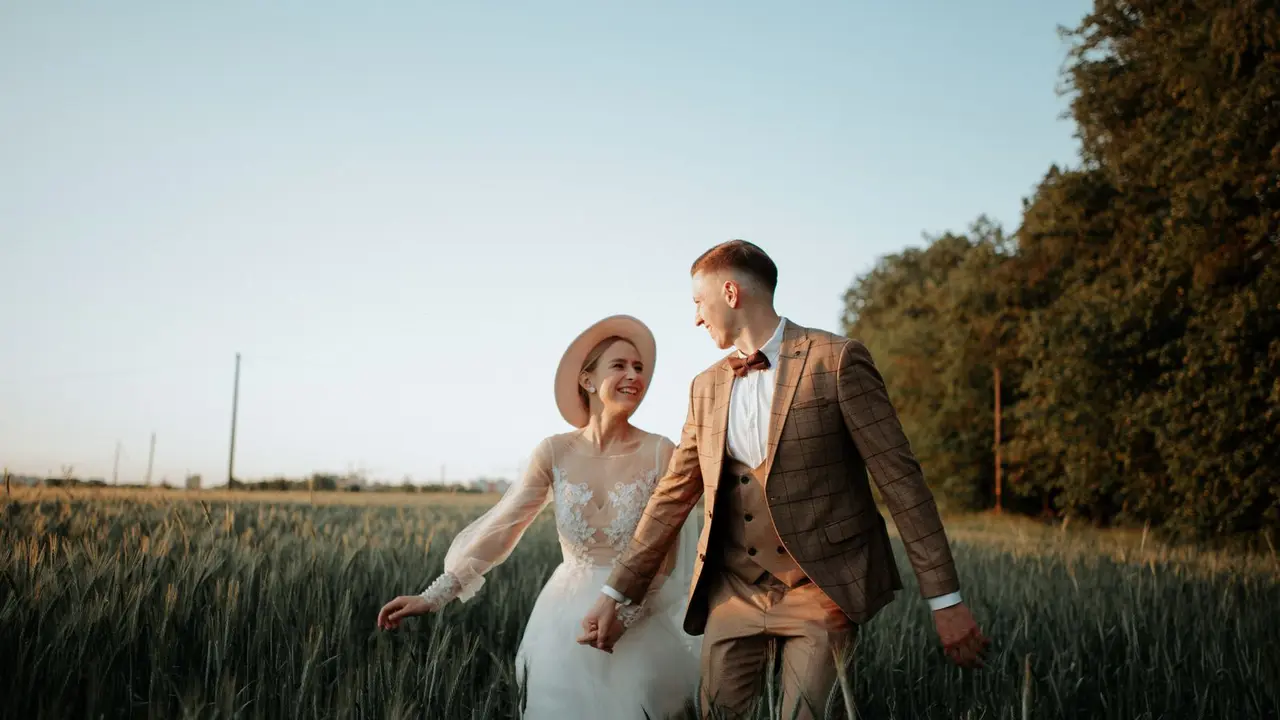
    The top block is a photograph, large, linking to the full gallery. A wedding is booked on feeling, and the feeling comes from one image doing its job before anyone reads a word. Change it whenever you shoot something better.

  2. 2

    Portraits and family

    A second gallery, kept separate. Couples and families are looking for different evidence, and a portrait client who lands in a wedding portfolio assumes you're out of their budget and leaves.

  3. 3

    Am I free on your date?

    Four fields: the date, what it's for, name and email. It is the question you're asked most, and as a form it arrives with the information you need to answer it, instead of a message that says "hi, how much?" at eleven at night.

  4. 4

    Packages

    Weddings and sessions as folding sections, each item with hours, what's delivered and a starting price. "From" prices are honest and they work: they filter out the enquiries that were never going to happen, without closing the door on the ones that need a custom quote.

  5. 5

    How I work

    A short page or video about your approach — no lists of poses, no "everyone look here". Couples choose a photographer they can imagine spending twelve hours with, and this is the block that answers that rather than the portfolio.

  6. 6

    Reviews and the questions everyone asks

    Two real quotes, then the five questions: when the photos arrive, whether you travel, how the date is held, what happens if it rains, what's editable. Those five are the entire back-and-forth of a booking, answered once.

The order a booking actually follows

The work first, because nothing else matters if the photographs aren't right for them. The second gallery immediately after, so the family client doesn't bounce off a wedding page. Then the date check, placed before the prices on purpose: availability is the question they came with. Packages, your approach, reviews and the FAQ handle everything that would otherwise happen in messages.

  1. Weddings
  2. Portraits and family
  3. Check the date
  4. Packages
  5. How I work, reviews, FAQ

Galleries, contracts and the tools you deliver with

The portfolio buttons open whatever you already use — Pic-Time, Pixieset, Squarespace, Instagram or a folder of your own — so this page sits in front of your gallery rather than replacing it. Keep the client galleries private and link only to the public ones. The date-check answers land in your dashboard with the date as a field, so they sort; that is easier to keep straight in wedding season than a inbox full of messages. Say in the FAQ what holds a date — a signed agreement and a deposit — because it is the part couples most often misunderstand, and the misunderstanding always surfaces on the worst possible week. If you shoot in more than one region, name them: photographers are searched for by place more than by style.

What to write in a photographer's bio

What you photograph and where: "Weddings and portraits. Lisbon, and happy to travel." Style words like "documentary" or "fine art" mean something to other photographers and almost nothing to a couple choosing their first one.

If you only take a number of weddings a year, say it. "One wedding a weekend" explains your price better than any list of hours, and it makes an enquiry feel urgent in a way that is entirely true.

Turning enquiries into bookings

Answer the date check within a day, even when the answer is no — the couple is asking three photographers the same evening and the fast reply is remembered. Keep a short text ready with the price list so the reply takes two minutes.

Post the whole story of one wedding rather than ten single frames. Couples imagine their own day inside a sequence, and the caption can end where the page begins: check the date in the link in bio.

What to avoid

Hiding the price entirely. It costs you the couples who would have been fine with it and fills your inbox with the ones who won't. A starting price is enough.

Publishing a client's photographs without permission. A wedding contract should say whether you may show the images, and a family session almost always needs asking again — especially where children are recognisable.

FAQ

Questions

Can couples check my availability here?

Through the form: they give the date and what it's for, and you answer. If you'd rather they booked a call, a booking button can open your calendar instead.

Should I show prices on the page?

A starting price per package is the usual middle ground. It filters the enquiries without committing you to a number before you know the day.

Can I link my Pixieset or Pic-Time galleries?

Yes — the portfolio buttons open any link. Keep client galleries private and link only the public work.

Can I sell prints or sessions from the page?

Yes, with a product block that carries a price and a buy button, or by linking to the shop you already use.

Where do form answers go?

They're emailed to you and kept in the dashboard, where you can export them as a spreadsheet — useful when a season's enquiries pile up.

Does it work for video as well?

Yes. Add a media block with a film, or point the top block at your Vimeo or YouTube reel.

Free tools that go with it

More templates

See all templates

Start in minutes

Your page, from this template

Pick a username, and your page starts with this template: change the words, add your links and it's yours.

Build free, no card. Publish with a 14-day free trial.

Claim your link today

One link for everything you create, sell and share. Free to publish, online in minutes.